Savedly,
right in Chrome
Save any page in one click, highlight what matters, keep Savedly open beside what you're reading, and find it all again from the address bar.
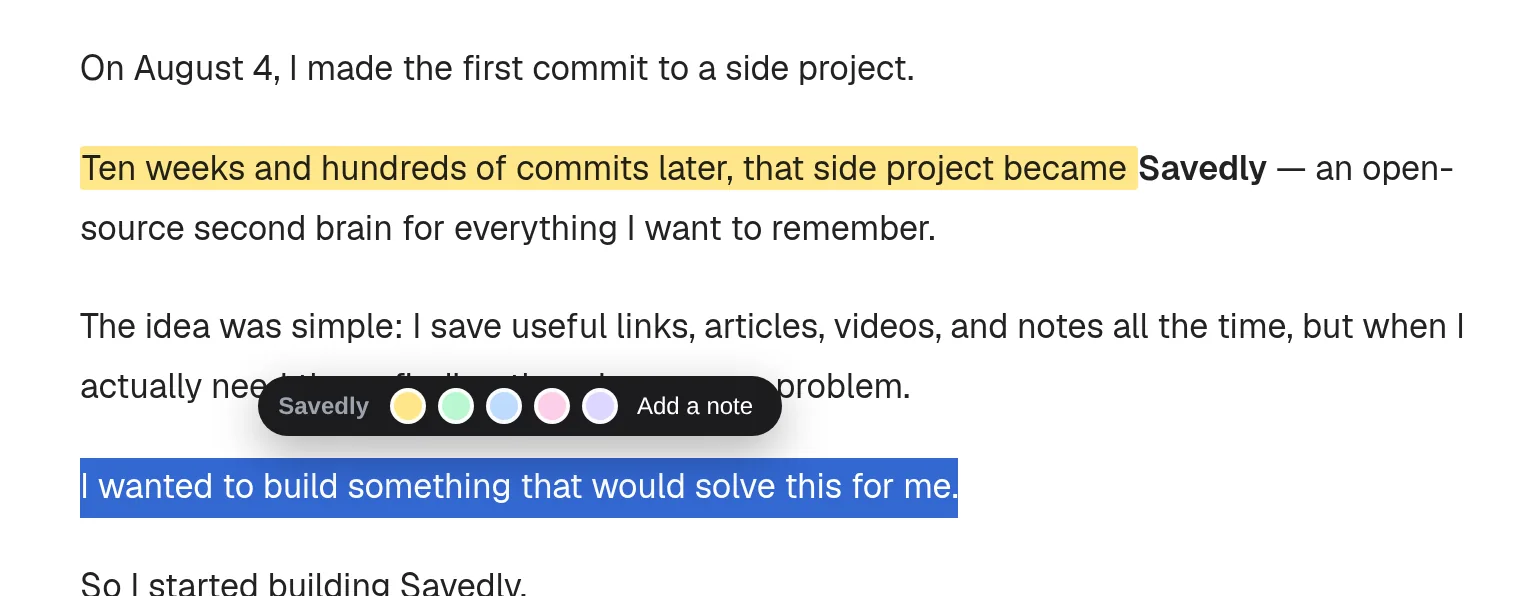
Everything, where you're reading
You don't have to leave the page to keep it, mark it up, or find something you saved last month.
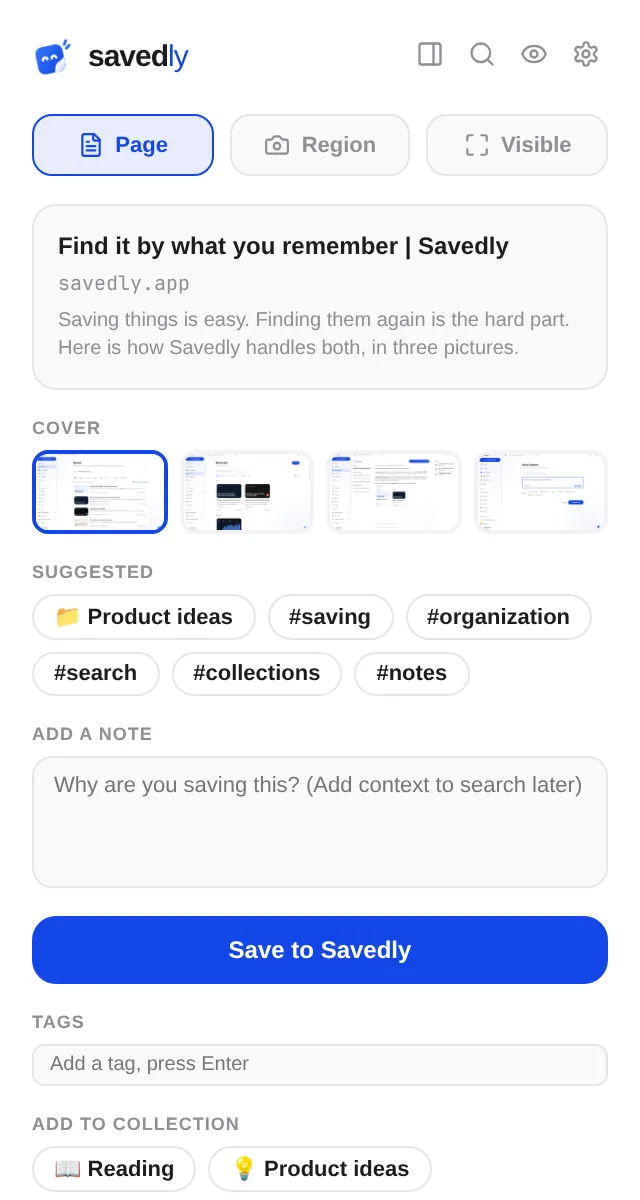
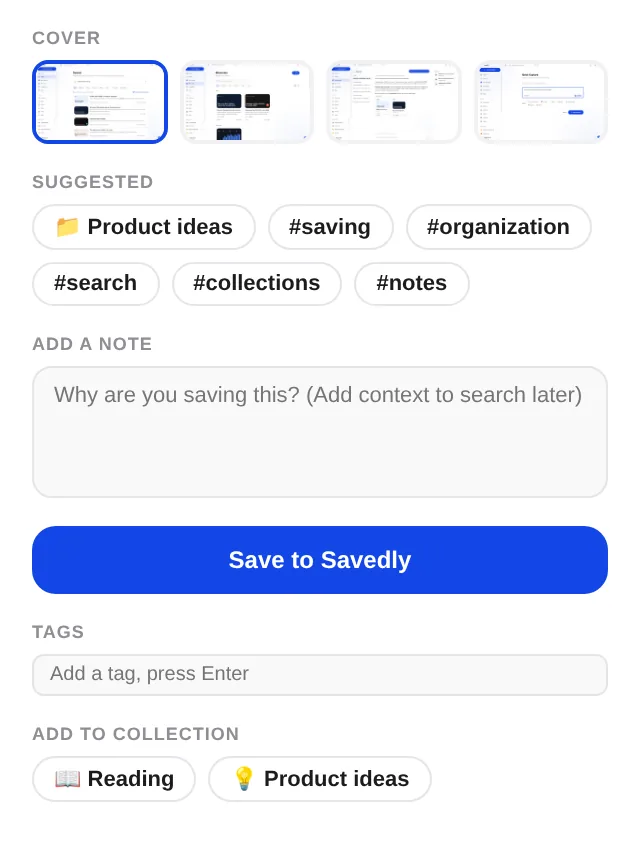
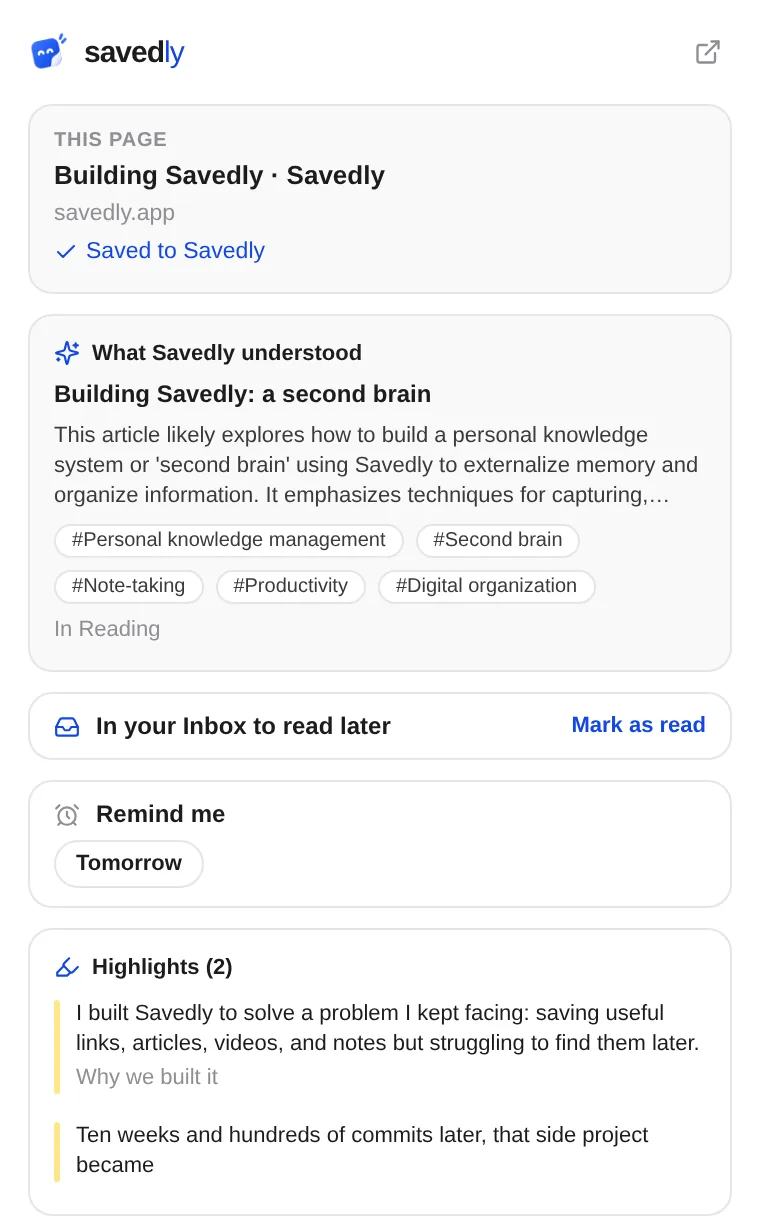
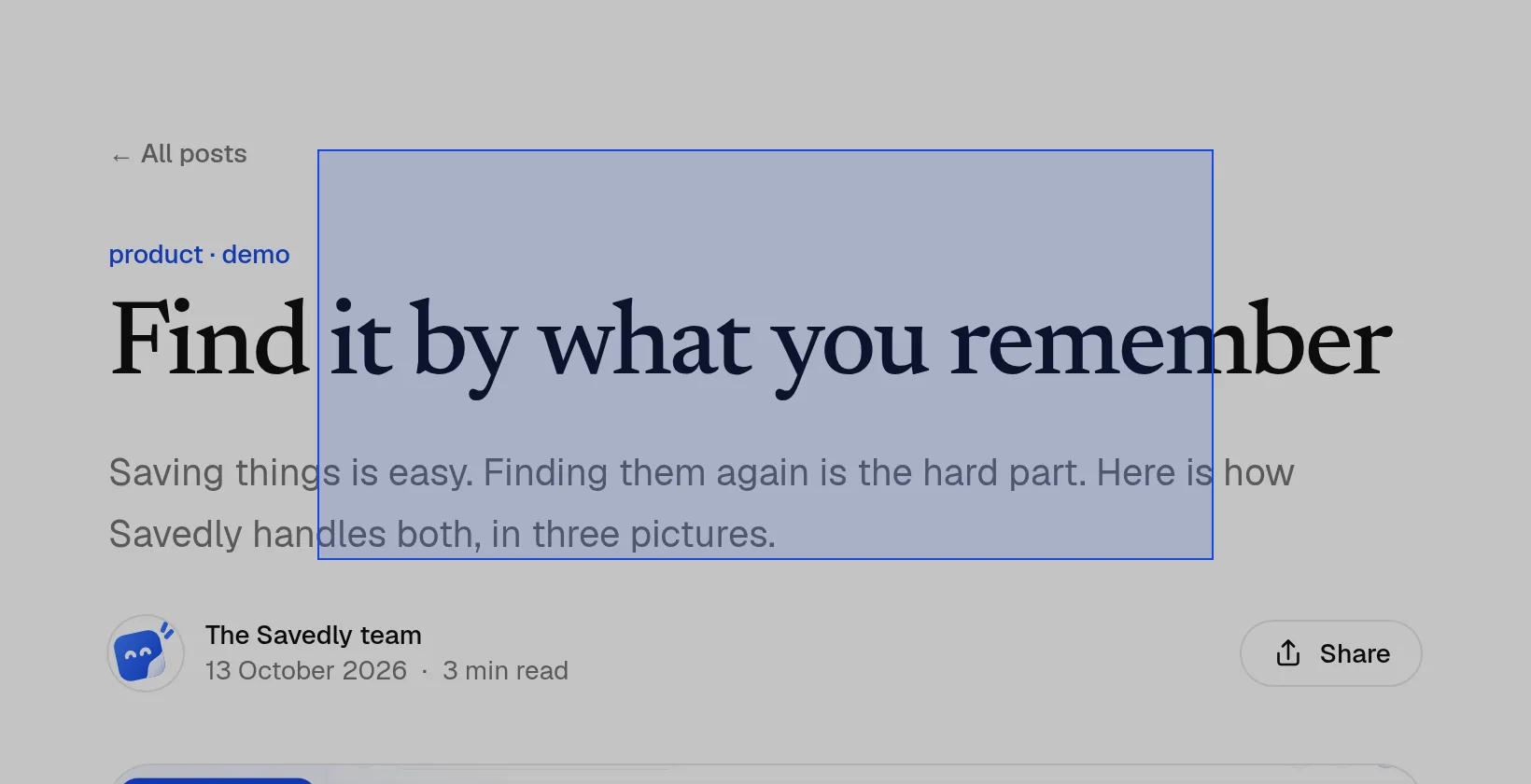
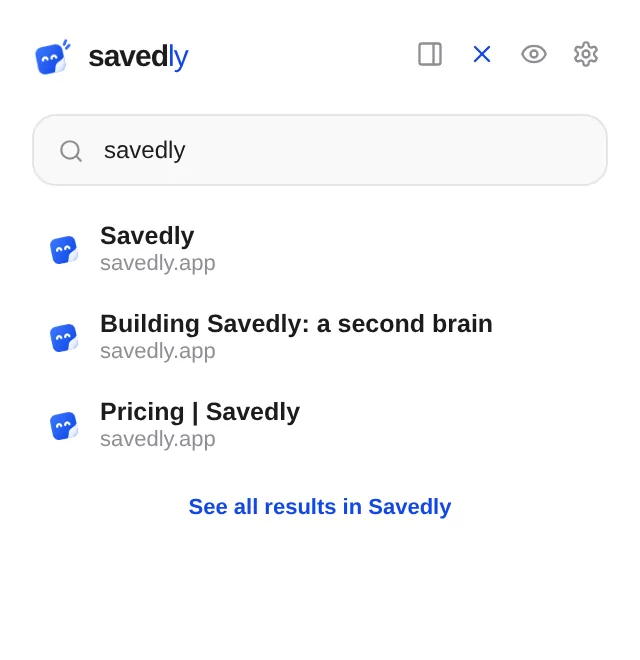
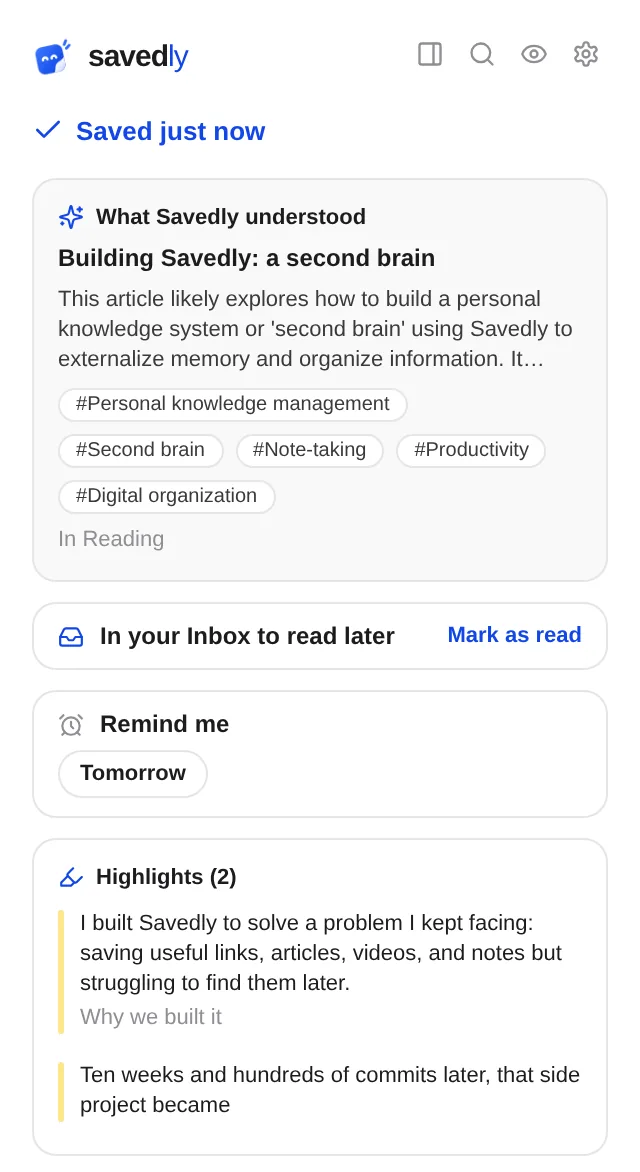
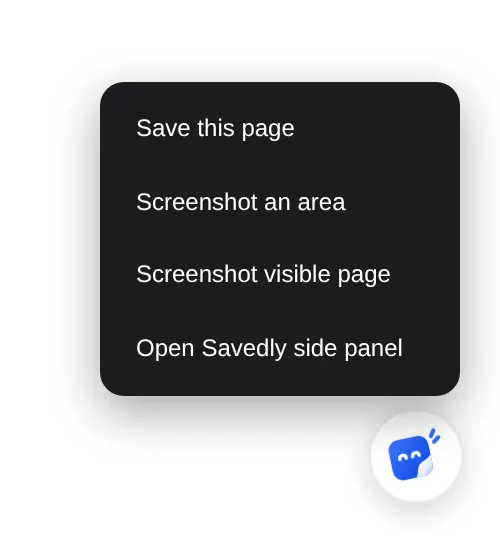
See it work
The extension in use, a few seconds each. Click one to watch it large.
Quicker ways in
For when even opening the popup is one step too many.
The right-click menu
Save the page, a link, an image or the text you selected, or send it straight to one of your five most recent collections.
Keyboard shortcuts
Save, open the side panel or highlight without reaching for the mouse. Press them here and the keys light up. You can change them in Chrome's extension shortcuts.
From the address bar
Type sv and a space, then what you remember. Pick a match to open it, or press Enter to see every result in Savedly.
Already saved?
A ✓ on the Savedly icon means the page you're on is in your library. Click it to see what Savedly made of it, or to set a reminder.
What it can see
An extension that runs on every page should say what it does there. This one shows its button and your highlights, and sends nothing until you use it.
Read the privacy policy- The pages you browseNever sent
- To put a ✓ on pages you've already saved, the extension compares short fingerprints of their addresses on your computer. Where you go isn't sent anywhere.
- The page you act onWhen you save, highlight or open Savedly on it
- Its address and title, and what you chose: a note, tags, a highlight, a screenshot. It goes to your library and nowhere else.
- Pages you've highlightedWhen you go back to one
- It asks Savedly for that page's highlights, so it can draw them again.
- Your sign-inNever stored
- It uses the sign-in you already have on savedly.app, through the browser. It keeps no password and no token of its own.
Free, with any plan
The extension costs nothing. It saves to your Savedly library, on whichever plan you're on.
Chrome 116 or later
Sign in on savedly.app and the extension is signed in too. There's nothing else to set up.
Running your own Savedly?
The Chrome Web Store version talks to savedly.app. For your own server, build it from the source with your server's address.
Save the next thing you don't want to lose.
You don't have to remember where you saved it. Just ask Savedly when you need it back.
- No card required
- No AI keys needed
- Open source