Setting up AI on a self-hosted install
On a self-hosted install, add your own AI key and assign it to each job.
On the hosted plans we supply the AI, so there's nothing to set up. On a self-hosted install, each account brings its own key, used only for that account (or the admin sets one up for everyone).
Add a provider key
Settings → AI → Add key. Pick OpenAI, Anthropic, Groq, Google, or a custom OpenAI-compatible endpoint (OpenRouter, Together, a local Ollama instance, etc.), give it a label, and paste the API key. It's encrypted at rest.
Assign it to a role
Fast (tagging/classification), Reasoning (Ask), Vision (image analysis), and Embeddings (search) are each configured separately — the same key can power more than one role, or you can mix providers across roles.
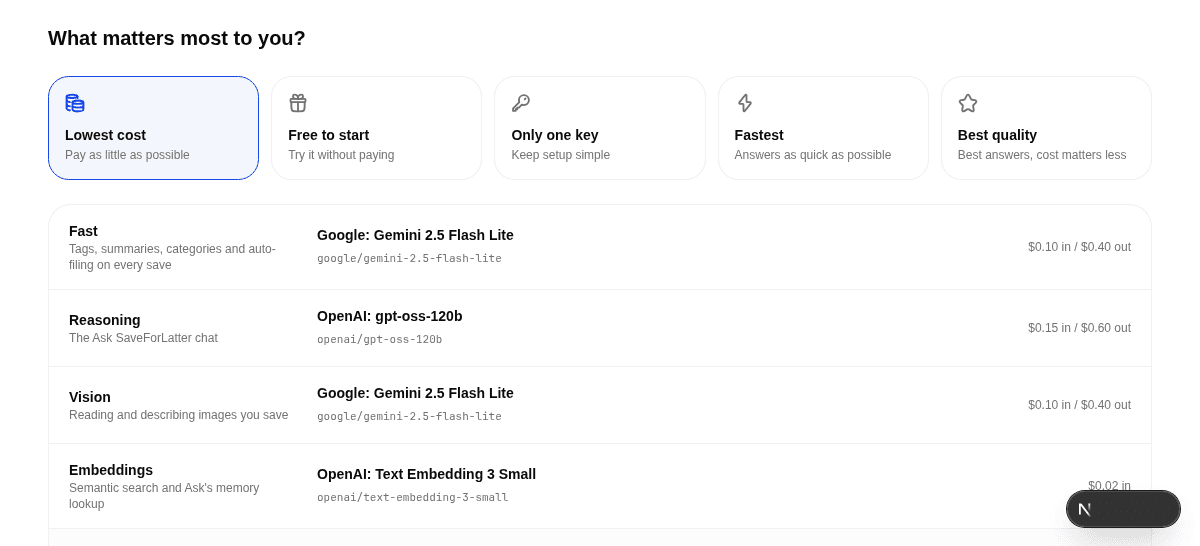
Save — it's tested live
Every role assignment is verified against the real provider before it's saved, so a bad key or a mistyped model name is caught immediately, not the next time you try to use it.